Creating high-quality videos and images used to require expensive software, powerful computers, professional editing skills, and hours of work. Today, AI video and image generators have changed the process completely.
The good news is that there are several AI tools you can try for free to create images, videos, AI avatars, social media content, presentations, and marketing materials.
However, there is an important difference between truly unlimited free AI generation and tools that provide free credits, tokens, trials, or limited generations.
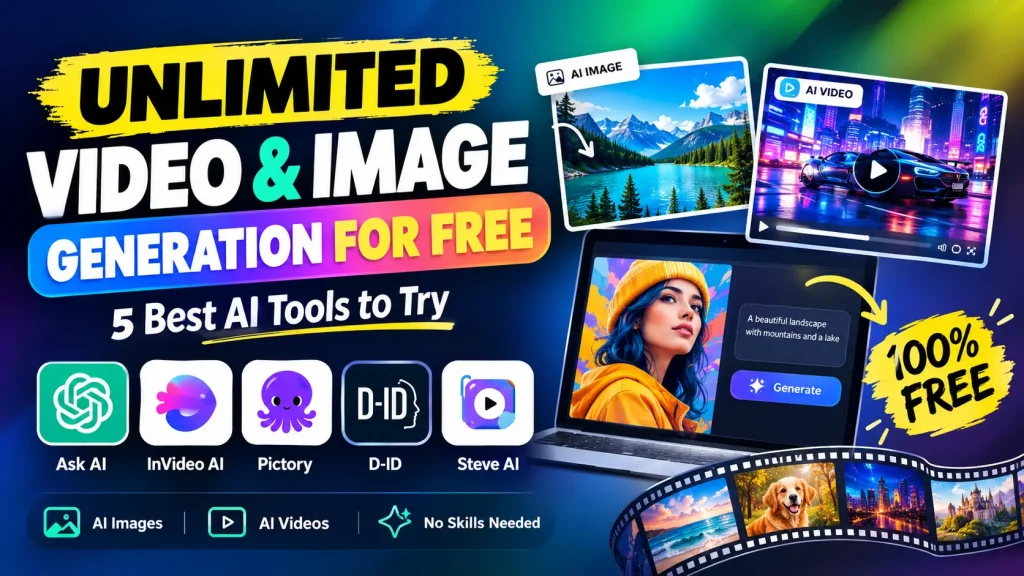
In this guide, we’ll look at 5 AI video and image generation tools worth trying:
- Ask AI
- InVideo AI
- Pictory
- D-ID
- Steve AI
We’ll explain what each platform does, what you can create, and how its free access works.
Can You Really Generate Unlimited AI Videos and Images for Free?
The short answer is: not always.
AI video generation requires significant computing power, especially when generating high-resolution videos, realistic characters, animation, voices, and cinematic scenes. Because of this, most platforms use some type of credit, token, trial, or usage limit.
Some services provide free access to AI tools, while others provide free credits that allow you to test their technology.
For example, AskAI.free currently offers free starter tokens and AI image and video tools, while InVideo AI provides a free plan with limited credits. Steve AI also offers a free plan with free AI video creation.
Therefore, instead of searching only for “unlimited free AI video generator,” it is better to look for platforms that provide free AI video generation, free AI image generation, and generous free usage.
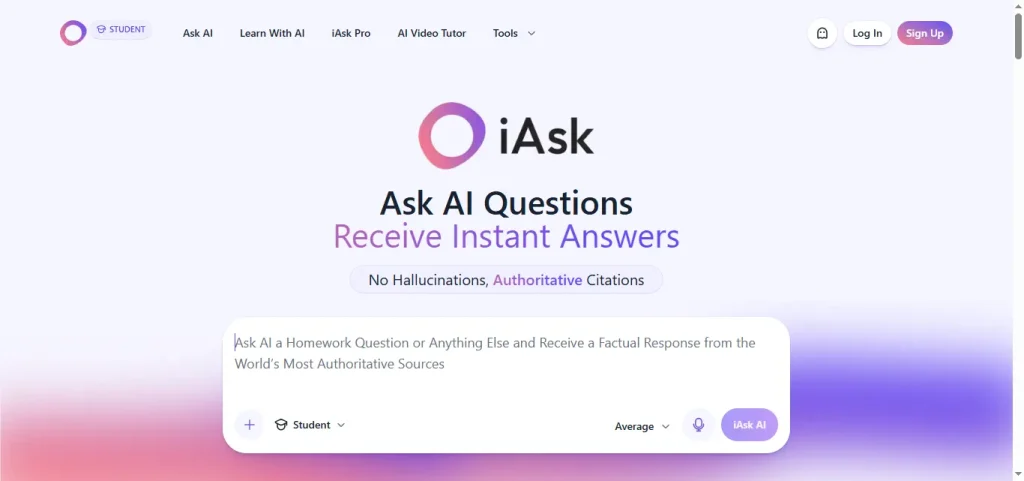
1. Ask AI – Free AI Image and Video Generation
Ask AI is an all-in-one AI platform that combines AI chat, image generation, video generation, image enhancement, and other AI tools in one place.
Its AI image generator currently provides access to multiple image models, while its video generator provides access to multiple video models. The platform says users can generate videos from text prompts or images and choose between different AI video models.
What can you create with Ask AI?
You can use AI to create:
- AI-generated images
- Text-to-image artwork
- Text-to-video clips
- Image-to-video animations
- Social media visuals
- Creative artwork
- AI face swaps
- Marketing visuals
- Short video content
AskAI.free currently advertises 100,000 starter tokens on its free plan, with no credit card required. Its video generation system uses tokens, so the amount of free video you can generate depends on the model and its token cost.
The platform currently lists multiple video models, including Kling, Hailuo, Veo, Seedance and LTX-based options.
Is Ask AI unlimited?
Not in the literal sense on the free plan.
Instead, Ask AI provides free starter tokens. This makes it useful for people who want to test AI image and video generation without paying immediately.
2. InVideo AI – Create Videos From Text
InVideo AI is one of the better-known AI video creation platforms for turning ideas and prompts into complete videos.
Instead of manually searching for footage, writing a script, recording narration, adding subtitles, and editing scenes separately, you can describe the video you want and let AI help create it.
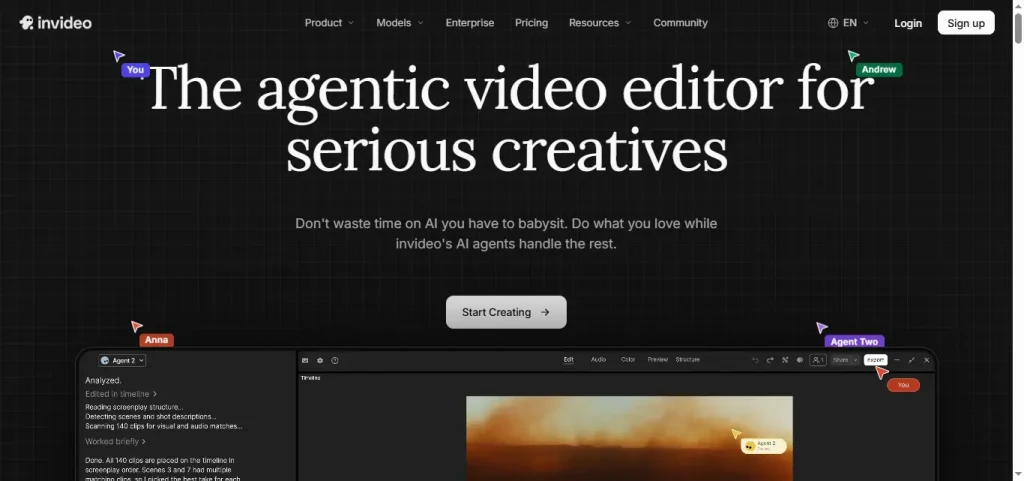
InVideo’s AI video generator can write scripts, add visuals, generate voiceovers, subtitles, music, and other video elements.
What can you create with InVideo AI?
You can use it for:
- YouTube videos
- Shorts
- TikTok videos
- Instagram Reels
- Marketing videos
- Explainer videos
- Product videos
- Educational content
- Social media advertisements
InVideo also supports AI-generated images and can use images as inputs for video generation.
Can you use InVideo AI for free?
Yes.
InVideo’s official help center says its free plan can be used without entering card details. The free plan includes limited credits, and those credits reset weekly. Users can also generate images and create videos using the available free quota.
This means InVideo AI is better described as a free AI video generator with limited credits, rather than an unlimited free video generator.
3. Pictory – Turn Text, Images and Ideas Into Videos
If you meant Pictory by “Pivyoty,” Pictory is an AI-powered video creation platform designed to turn written content and media into videos.
Pictory can create videos from:
- Text
- Scripts
- Blog posts
- URLs
- Images
- Audio
- PowerPoint presentations
- Existing videos
Its platform includes AI video editing, captions, AI voices, avatars, and image-to-video functionality.
Pictory AI image-to-video
One particularly useful feature is image-to-video generation.
You can upload an image and describe how you want it to move. Pictory can then transform the static image into a video with motion and scene effects.
This can be useful for:
- Product images
- Social media posts
- Marketing campaigns
- Digital artwork
- Presentations
- Educational content
- YouTube videos
Is Pictory completely free?
Pictory currently offers a free trial rather than unlimited free usage.
Its current pricing information lists a free trial with limited video generation and AI credits, while paid plans provide substantially higher limits.
So if your goal is to test AI video creation before paying, Pictory is worth considering, but it should not be described as an unlimited free AI video generator.
4. D-ID – Create AI Avatar Videos From Images and Text
D-ID takes a different approach to AI video generation.
Instead of focusing only on cinematic text-to-video generation, D-ID specializes in AI avatars and talking digital presenters.
You can select an AI avatar, provide a script or audio, choose a voice, customize the scene, and generate a video.
According to D-ID, its platform supports realistic AI presenters, natural voices, customizable scenes, and video creation in more than 120 languages and accents.
How D-ID works
The process is simple:
- Choose an avatar.
- Enter your script or upload audio.
- Select a voice.
- Customize the scene.
- Generate your video.
D-ID’s official documentation also explains that users can create videos from images, text, and audio through its platform and API.
What can you use D-ID for?
D-ID can be useful for:
- AI presenters
- Talking avatars
- Educational videos
- Business presentations
- Marketing videos
- Product explainers
- Training videos
- Multilingual content
- Digital spokesperson videos
If you want an AI person to speak your script instead of creating a traditional animated video, D-ID is particularly relevant.
5. Steve AI – Free AI Video Generator
Steve AI is another AI video creation platform that lets users turn prompts, scripts, images, and other content into videos.
Its current AI video tools support workflows such as:
- Text-to-video
- Prompt-to-video
- Image-to-video
- Audio-to-video
- AI animation
- Generative AI video
- AI clip creation
Steve AI says its platform supports multiple video styles, including animation, generative AI, and live-video formats.
Steve AI free plan
Steve AI currently advertises a free plan with 1,200 seconds of AI video creation and 200 credits for AI and stock media generation.
Its support documentation also says the free plan includes unlimited project creation and previews, access to a free stock media library, and limited HD exports.
This makes Steve AI a useful option for experimenting with AI video without immediately purchasing a subscription.
AI Video and Image Generators Compared
| AI Tool | Images | Videos | Free Access | Best For |
|---|---|---|---|---|
| Ask AI | Yes | Yes | Free starter tokens | AI images and short videos |
| InVideo AI | Yes | Yes | Limited free credits | YouTube and social videos |
| Pictory | Yes | Yes | Free trial | Text-to-video and editing |
| D-ID | Yes/input images | Yes | Trial/free access may vary | Talking AI avatars |
| Steve AI | Yes | Yes | Free plan | AI videos and animations |
Which AI Tool Should You Try?
The best option depends on what you want to create.
For AI images and different video models
Ask AI is useful if you want multiple AI image and video tools in one place. Its free tier includes starter tokens, allowing new users to test the platform without immediately subscribing.
For YouTube and social media videos
InVideo AI is designed around turning ideas into complete videos, including scripts, visuals, voiceovers, subtitles, and music.
For turning blogs and written content into videos
Pictory is particularly useful for converting text, URLs, scripts, articles, and other content into videos.
For talking AI avatars
D-ID is designed around realistic digital presenters and AI avatars, making it useful for presenter-led content and multilingual videos.
For animations and AI video creation
Steve AI provides multiple video creation workflows, including prompt-to-video, text-to-video, image-to-video, and animation tools.
How to Create AI Videos for Free
You don’t need expensive video-editing software to get started.
A simple AI video workflow looks like this:
Step 1: Write your idea
Start with a simple description of what you want to create.
For example:
Create a 15-second cinematic video of a futuristic city at night with flying cars, neon lights and realistic camera movement.
Step 2: Choose an AI video generator
Choose a platform such as Ask AI, InVideo AI, Pictory, D-ID, or Steve AI depending on the type of video you want.
Step 3: Add your prompt
The more specific your prompt is, the more control you have over the result.
Include:
- Subject
- Location
- Camera movement
- Lighting
- Visual style
- Duration
- Aspect ratio
- Mood
Step 4: Generate your video
Let the AI process your prompt.
Depending on the platform and model, generation can take anywhere from seconds to several minutes.
Step 5: Edit and export
Review the generated video and make changes if necessary.
You can then add:
- Music
- Voiceovers
- Captions
- Logos
- Text
- Transitions
- Additional scenes
Tips for Getting Better AI Video Results
AI video generators work best when your prompts clearly describe the scene.
Instead of:
“Make a video of a car.”
Try:
“Create a cinematic 8-second shot of a black sports car driving through a modern city at night, wet road reflections, neon signs, realistic headlights, low-angle tracking camera, shallow depth of field, dramatic cinematic lighting.”
The second prompt gives the AI much more information about the desired result.
Use image-to-video when possible
If your AI-generated image already looks exactly how you want, image-to-video generation can help preserve the visual concept while adding movement.
Several platforms in this list support image-based video workflows, including Ask AI, Pictory, D-ID and Steve AI.
Are Free AI Video Generators Really Unlimited?
This is one of the most important questions to understand.
Usually, no.
“Free” and “unlimited” are not the same thing.
A platform may offer:
- Free daily generations
- Free weekly credits
- Starter tokens
- A free trial
- Limited video minutes
- Limited downloads
- Watermarked exports
- Limited resolution
- Limited AI models
For example, AskAI.free currently provides starter tokens, InVideo AI has a limited free credit allowance, Pictory provides a free trial, and Steve AI provides a free plan with defined video and credit allowances.
Therefore, always check the current pricing and usage limits before assuming a service provides unlimited generation.
Final Thoughts
AI video and image generation is becoming much more accessible.
You don’t necessarily need expensive software, a powerful computer, or professional video-editing skills to start creating content.
Ask AI, InVideo AI, Pictory, D-ID, and Steve AI all provide different approaches to AI-powered content creation.
If you want AI images and multiple video models, start with Ask AI.
If you want automated YouTube and social media videos, explore InVideo AI.
If you want to turn blogs, scripts, and written content into videos, try Pictory.
If you want talking AI presenters and avatars, explore D-ID.
If you want AI animations, prompt-to-video, and image-to-video creation, try Steve AI.
The most important thing is to check each platform’s current free limits because AI generation costs can change over time.
Frequently Asked Questions
What is the best free AI video generator?
There isn’t one tool that is best for every type of video. Ask AI, InVideo AI, Pictory, D-ID, and Steve AI target different workflows, from AI-generated clips and social videos to talking avatars and text-to-video production.
Can I create AI videos without paying?
Yes. Several platforms provide free access, free credits, starter tokens, or free trials. However, the amount of video you can generate for free varies between services.
Can AI generate images and videos?
Yes. Some AI platforms provide both image and video generation in the same service. AskAI.free, for example, currently provides both AI image generation and AI video generation tools.
Is there a completely unlimited AI video generator for free?
Completely unlimited free AI video generation is uncommon because video generation requires significant computing resources. Most services use credits, tokens, trials, or other usage limits.
Can I create AI videos from images?
Yes. Image-to-video generation allows you to upload or create an image and then use AI to add movement and animation. Ask AI, Pictory, D-ID, and Steve AI all support image-based video workflows in different ways.
Can I create AI videos for YouTube?
Yes. AI video platforms can be used to create YouTube videos, Shorts, tutorials, explainers, advertisements, educational videos, and other content. Always check the platform’s current licensing and usage terms before using generated content commercially.